
DMGKit Inspector: The Ultimate macOS DMG Security & Trust Analyzer
Distributing or downloading macOS apps shouldn’t feel like a gamble.
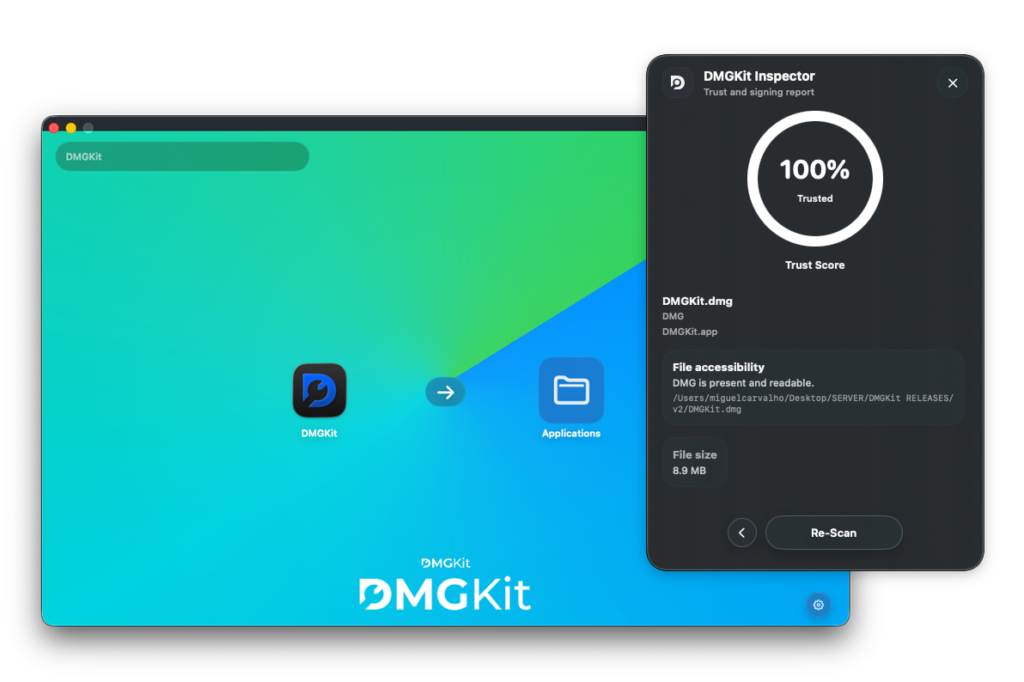
DMGKit Inspector is a powerful macOS analysis tool that verifies whether a .dmg or .pkg installer is safe, trusted, and properly signed by Apple in seconds.
Whether you’re a developer shipping software or a user installing it, Inspector gives you complete visibility into what you’re dealing with.
Why macOS Installer Verification Matters
macOS apps are commonly distributed as:
- .dmg (disk images);
- .pkg (installer packages).
But not all installers are safe.
Without proper verification, you risk:
- Installing tampered or malicious apps;
- Running unsigned or untrusted software;
- Losing user trust as a developer.
Even worse, many users don’t understand macOS warnings and ignore them.
That’s where DMGKit Inspector changes everything.
What is DMGKit Inspector?
DMGKit Inspector is a macOS utility that analyzes installers and generates a complete security and trust report.
It checks:
- Code signing validity;
- Apple notarization status;
- Gatekeeper acceptance;
- Developer identity;
- App bundle integrity;
- File structure and mountability.
All presented in a clear, readable report.
What DMGKit Inspector Analyzes
Code Signing Validation
Confirms the app is signed with a valid Developer ID certificate.
Notarization Status
Checks if the app has been approved by Apple and notarized successfully.
Gatekeeper Assessment
Verifies whether macOS will allow the app to run without warnings.
Developer Identity
Displays the verified developer name and Team ID.
Installer Integrity
Ensures the DMG:
- mounts correctly;
- contains a valid .app bundle;
- isn’t corrupted or tampered.
File Trust Signals
Includes:
- SHA-256 hash;
- Quarantine status;
- Secure timestamp validation.
Trust Score System
DMGKit Inspector assigns a Trust Score based on Apple security signals.
Example verdicts:
- Platform Trusted (100%) → fully signed & notarized;
- Medium Risk (80%) → missing key validations;
- High Risk → unsafe or unverifiable.
This makes it easy to understand risk instantly with no technical knowledge required.
Why Developers Need DMGKit Inspector
If you distribute macOS software, this tool is essential.
Validate your releases before shipping
Catch issues like:
- Missing notarization;
- Broken signatures;
- Invalid bundles.
Build user trust
Ship installers that:
- pass Gatekeeper;
- show no warnings;
- feel professional.
Debug notarization workflows
Quickly identify why an export failed or is incomplete.
Why End Users Should Use It
Most users don’t know how to verify macOS apps safely, so DMGKit Inspector solves that.
Before installing any app:
- Check if it’s trusted;
- Verify developer authenticity;
- Avoid malicious downloads.
It’s like having a security audit for every installer you open.
Why DMGKit Inspector is a Must-Have
There’s no built-in macOS tool that provides this level of clarity in one place.
DMGKit Inspector combines:
- Developer-grade diagnostics;
- User-friendly reporting;
- Real Apple security validation.
Into one simple workflow.
That makes it a must-have for anyone dealing with macOS software distribution.
Key Advantages Over Manual Checks
Without Inspector, you’d need to run:
- codesign;
- spctl;
- stapler;
- hdiutil;
…and manually interpret results.
DMGKit Inspector does all of this:
- automatically;
- instantly;
- with a readable report.
Works Seamlessly with DMGKit
If you’re already using DMGKit:
- Export your installer;
- Import it to Inspector;
- Verify everything before distribution.
Perfect loop:
Build → Sign → Notarize → Inspect → Ship
Related Guides
To complete your workflow: